PortorTV app icon
Android TV · Google TV · Fire TV

Meet
PortorTV.

A fast, easy IPTV player made for the TV remote. A real TV guide, catch-up, recording, multiview, movies and series, and a live sports hub — all from your own playlist.

Built for the TV remoteYour playlist, your choice
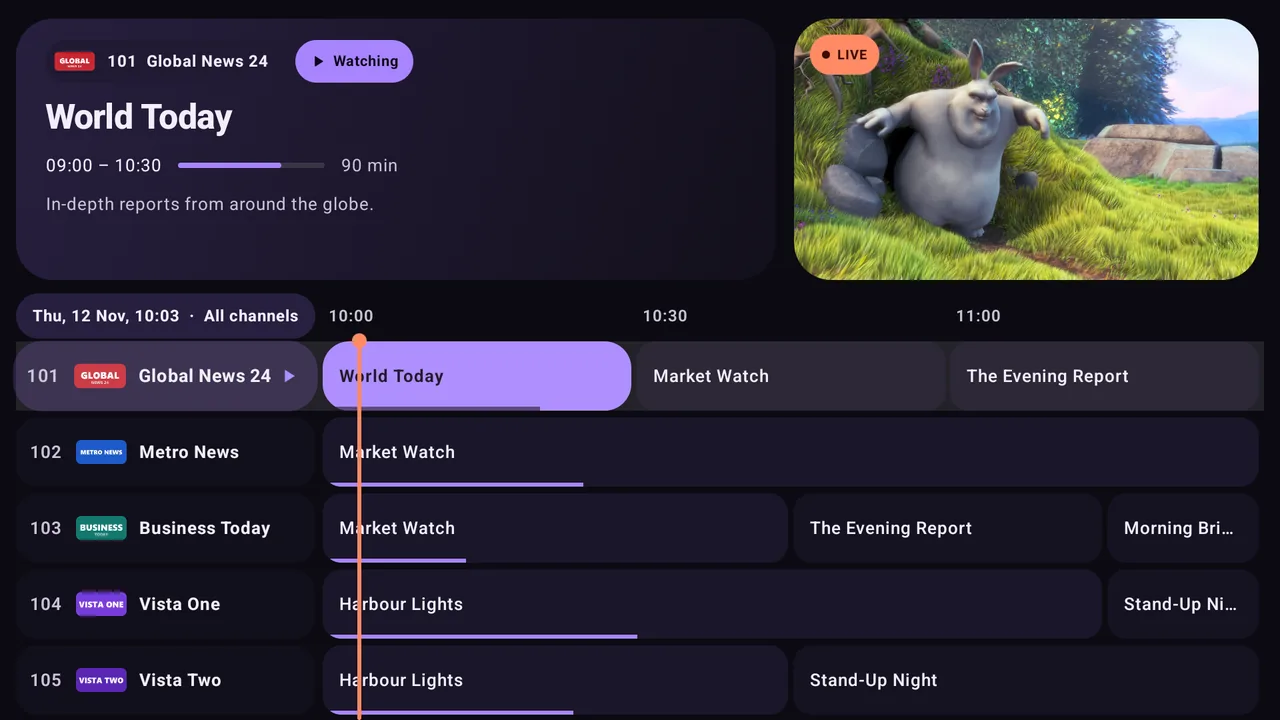
PortorTV's TV guide with a live preview
The guide at a glance
Made for the big screen

Everything you need.
Easy to find.

Built for Android TV, Google TV and Fire TV boxes and the TV remote. It works on Android phones and tablets too.

Live TV with a real TV guide

  • Classic grid guide with live preview
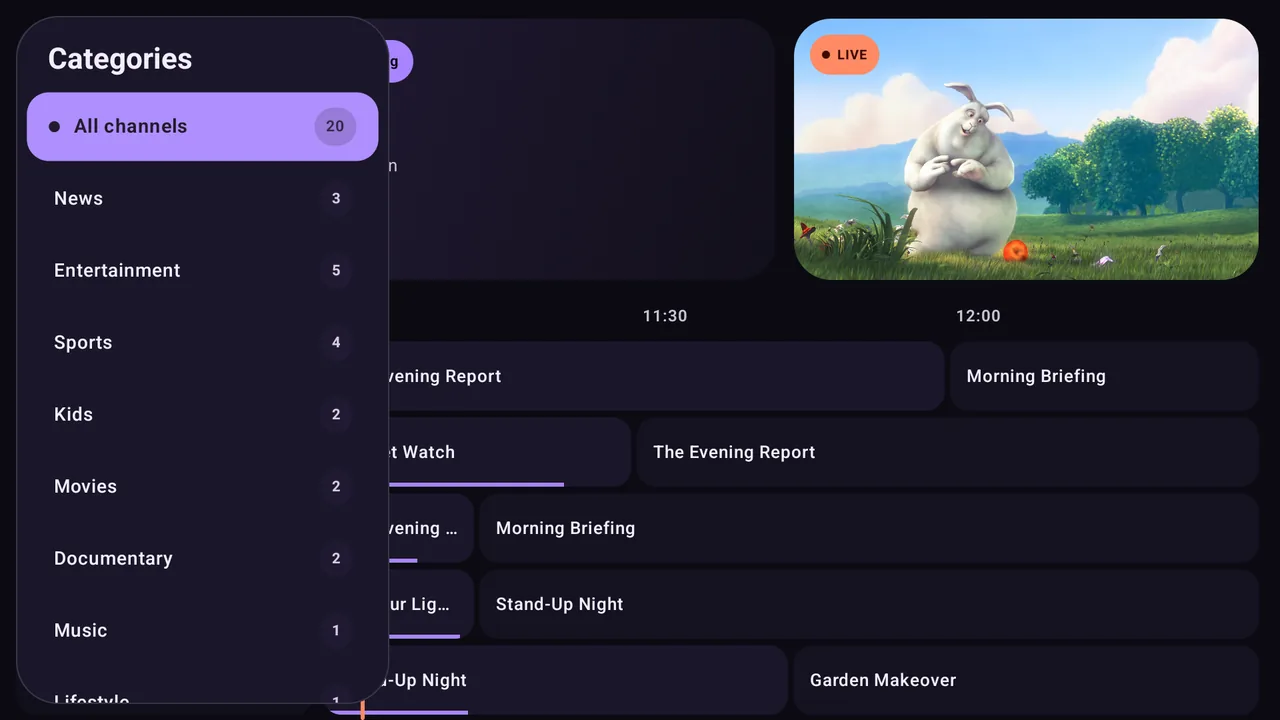
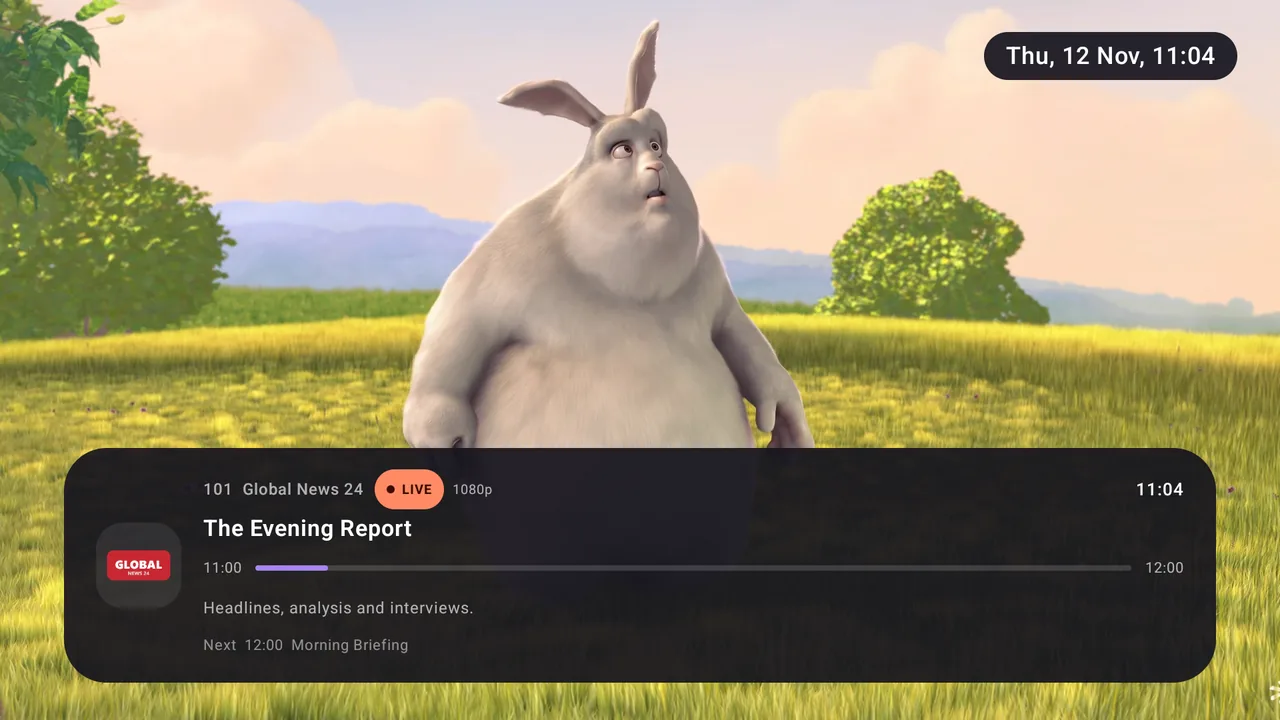
  • Categories, logos, channel numbers and now/next details
  • Catch-up and play from start, when your provider supports it
  • Extra XMLTV links, automatic matching and time shift

Premium

Sports hub

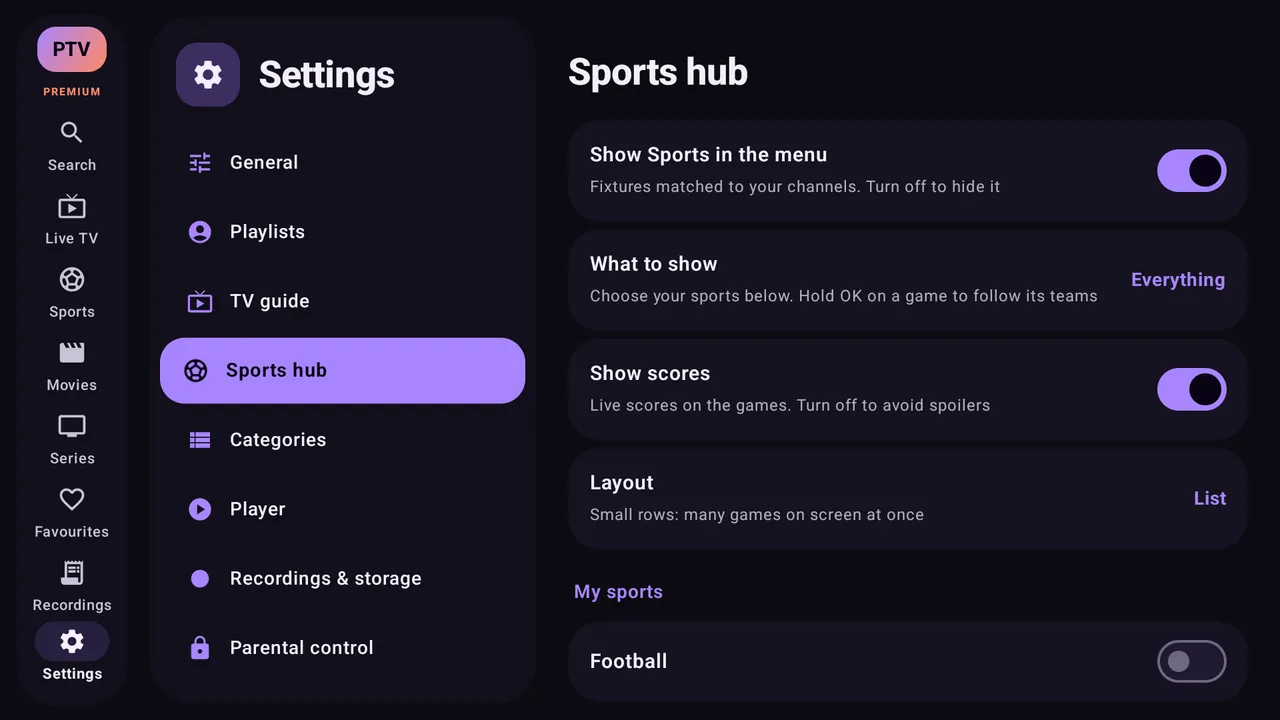
  • Today’s games and the next few days: football, motorsport, ice hockey, American football, basketball and more
  • Opens on the games found on your own channels
  • Compact list with live scores and match time, or turn scores off to avoid spoilers
  • Press OK to watch; find and follow any team, and set reminders

Smooth player

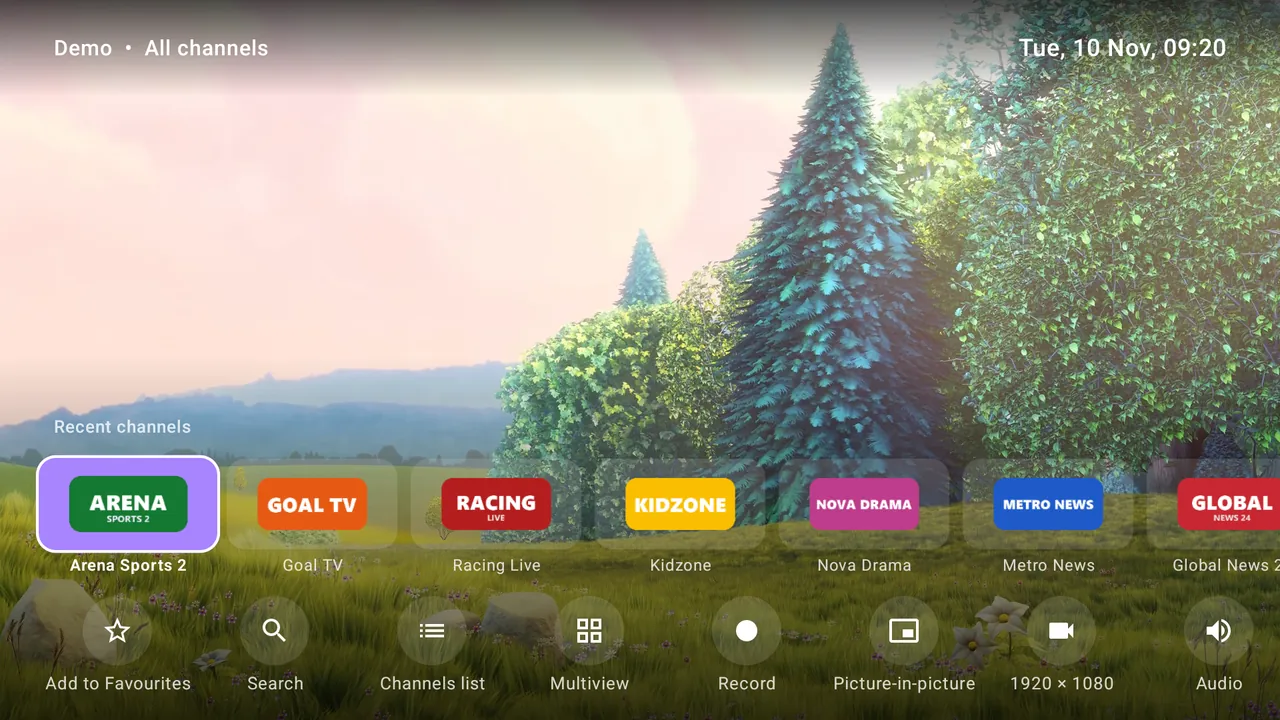
  • Fast channel switching and recent channels
  • Choose audio, subtitles, quality and aspect ratio
  • Picture-in-picture, sleep timer and playback speed
  • Multiple decoders, surround sound and auto frame rate
Premium

Multiview

  • Watch two or four live channels at once
  • Change the channel on any screen
  • Uses what your box can handle, so it stays smooth
Premium

Movies & series

  • Posters, plots, ratings, seasons and episodes
  • Watch history, resume and automatic next episode
  • Jump back to your place in the list
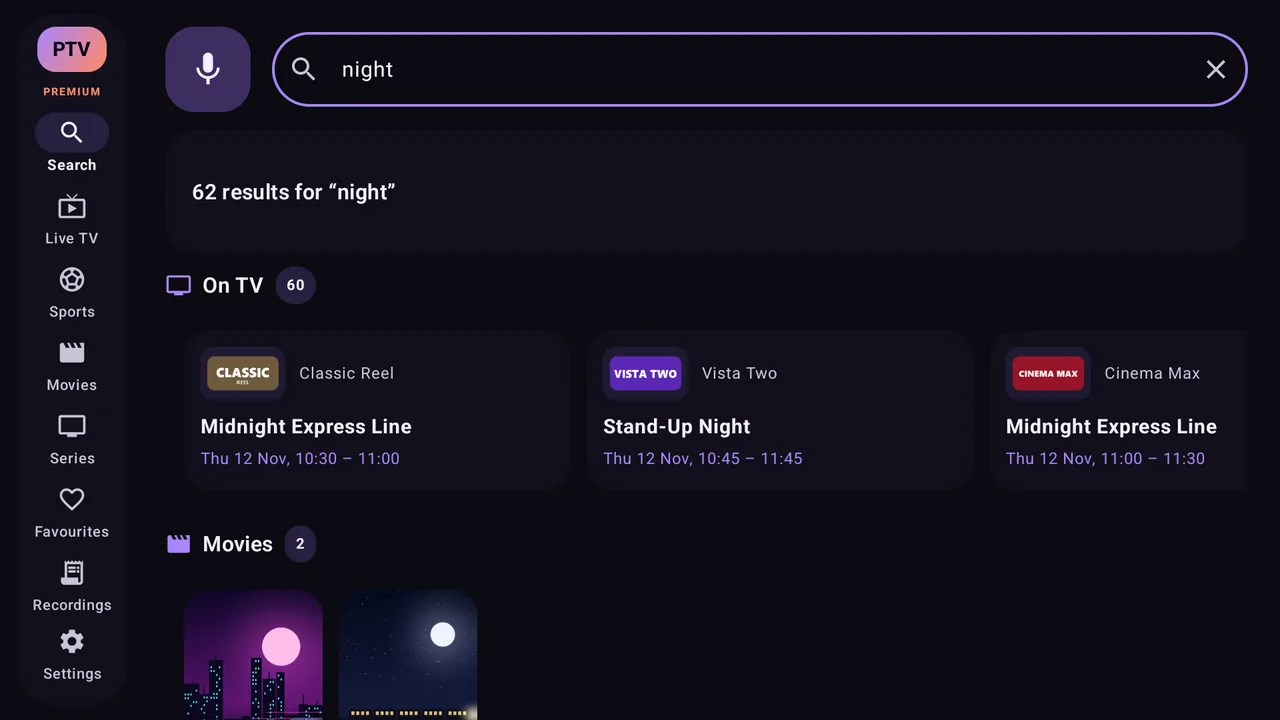
  • Voice search
Premium

Record your shows

  • Record now or schedule from the TV guide
  • Save to device, USB or a PC, Mac or NAS on your home network
  • Get reminders before a programme starts

Make it yours

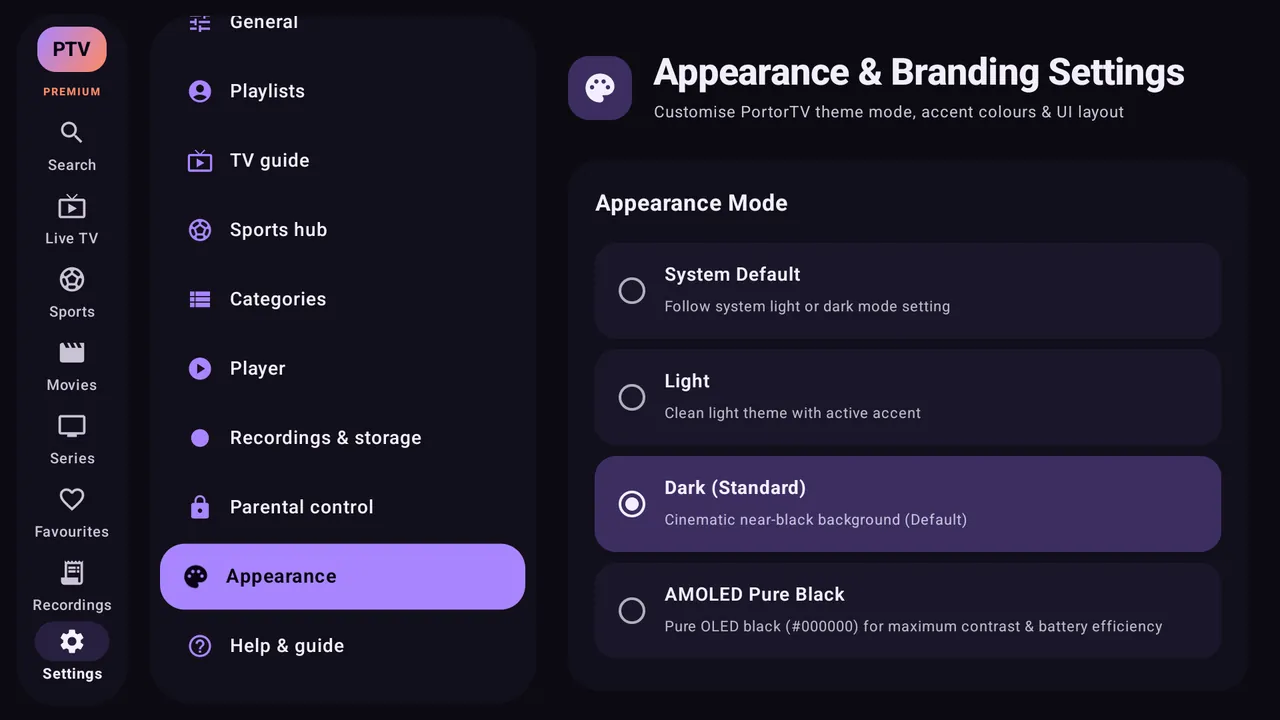
  • Light, dark and AMOLED themes with accent colours
  • Favourites, categories and channel controls
  • Parental control PIN, guide text size and see-through panels
  • Back up and restore your set-up

Easy to use

  • Designed for the remote, with a quick welcome tour
  • Step-by-step Help & guide inside the app
  • Search channels, TV, films and series by typing or voice

Your playlists

  • M3U / M3U8, Xtream Codes and Stalker portals
  • Use several playlists at once with Premium
  • Set an update schedule and pick up where you left off
A look inside

See it on your TV.

A clean layout that feels at home on a television, with the details you need one click away.
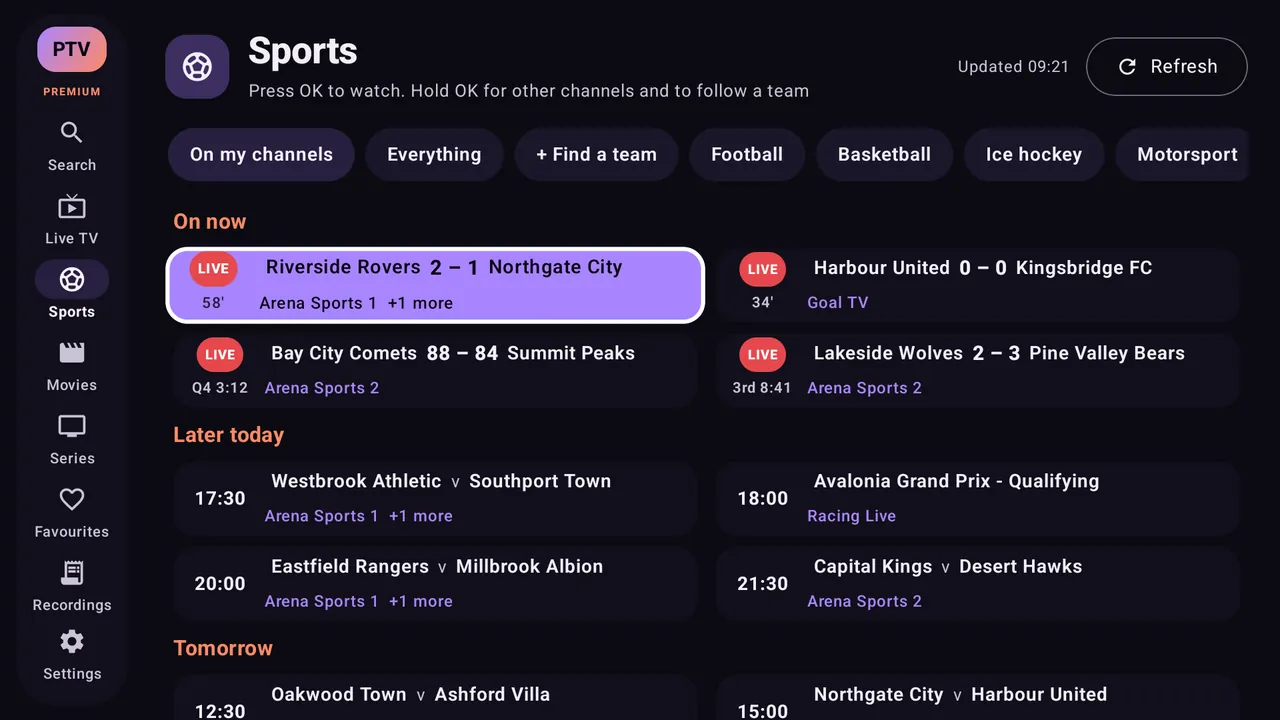
Screenshots use demo channels. Scroll sideways to see more.

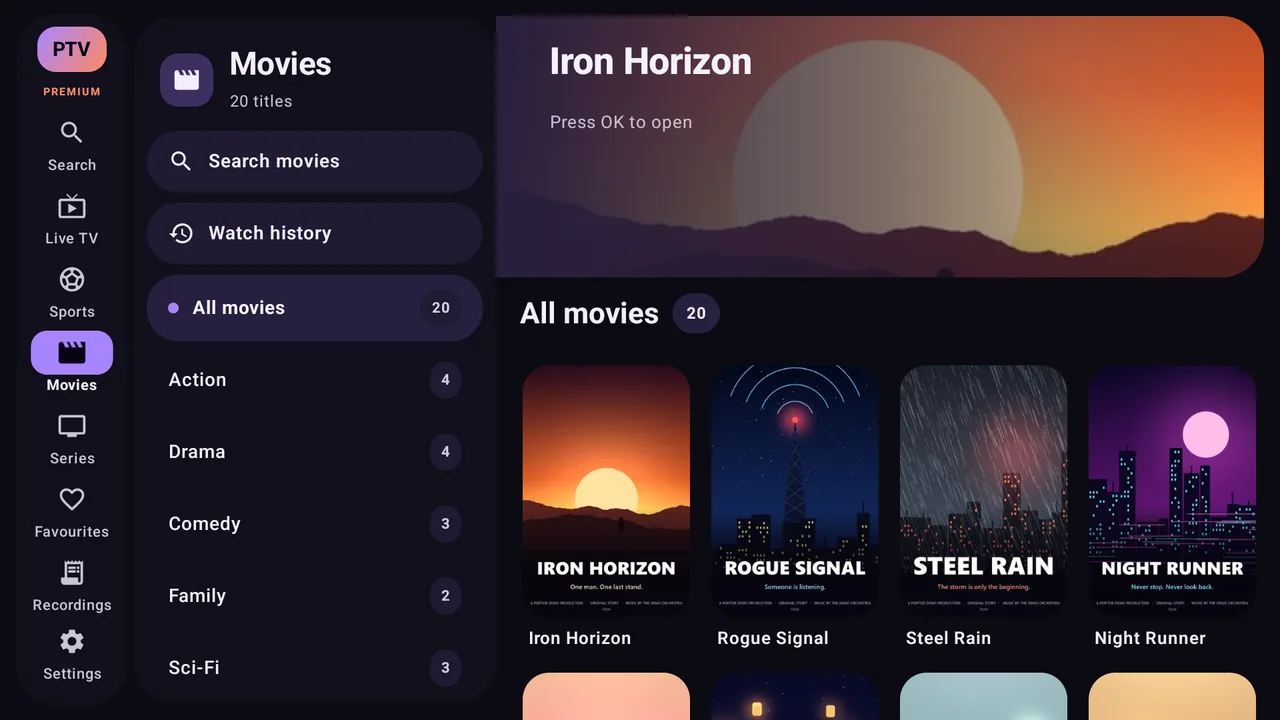
Movies & series Premium

Your films and box sets, the easy way.

PortorTV turns your provider's films and series into a proper library you can browse from the sofa.
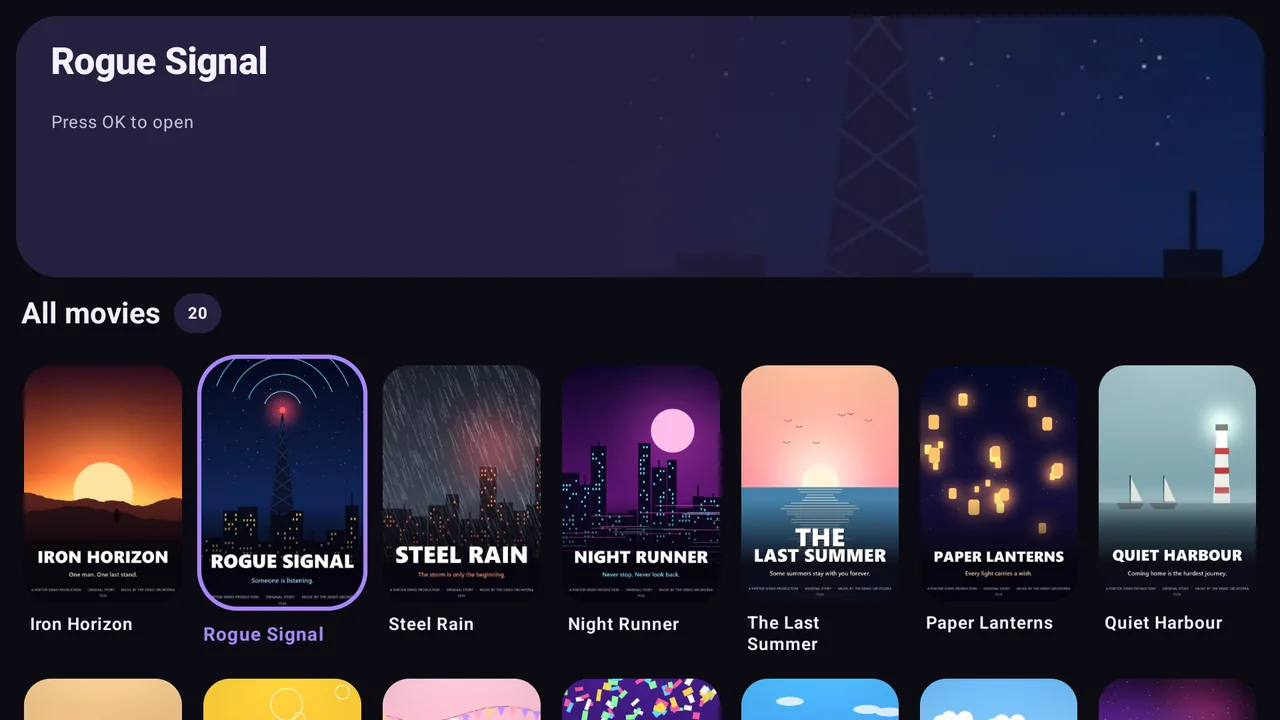
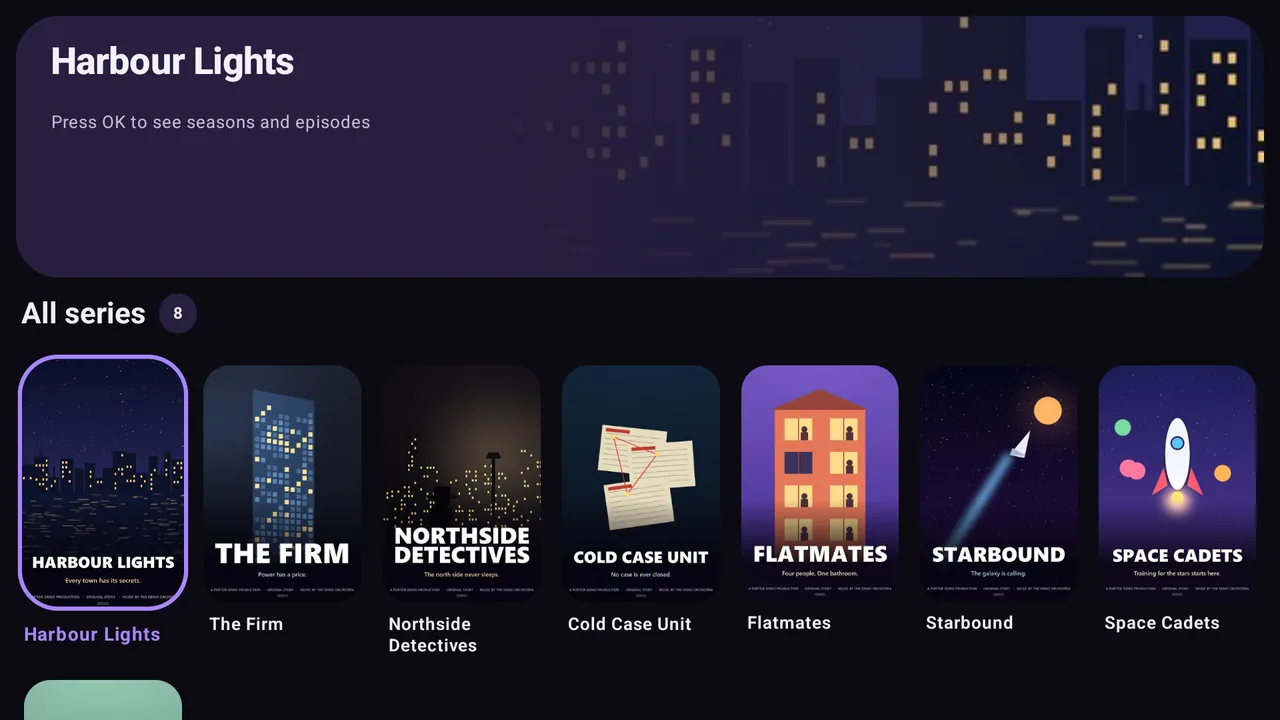
  • Posters, plots, ratings, seasons and episodes
  • Categories, search and voice search
  • Watch history: carry on where you stopped
  • Next episode starts by itself
  • Back to your place in the list after watching
  • Add films and series to your favourites
PortorTV's movies page with posters PortorTV's series page with covers
Set it up your way

Settings for everything.

Every part of PortorTV can be tuned from the remote, from how the guide looks to how the picture and sound are played.
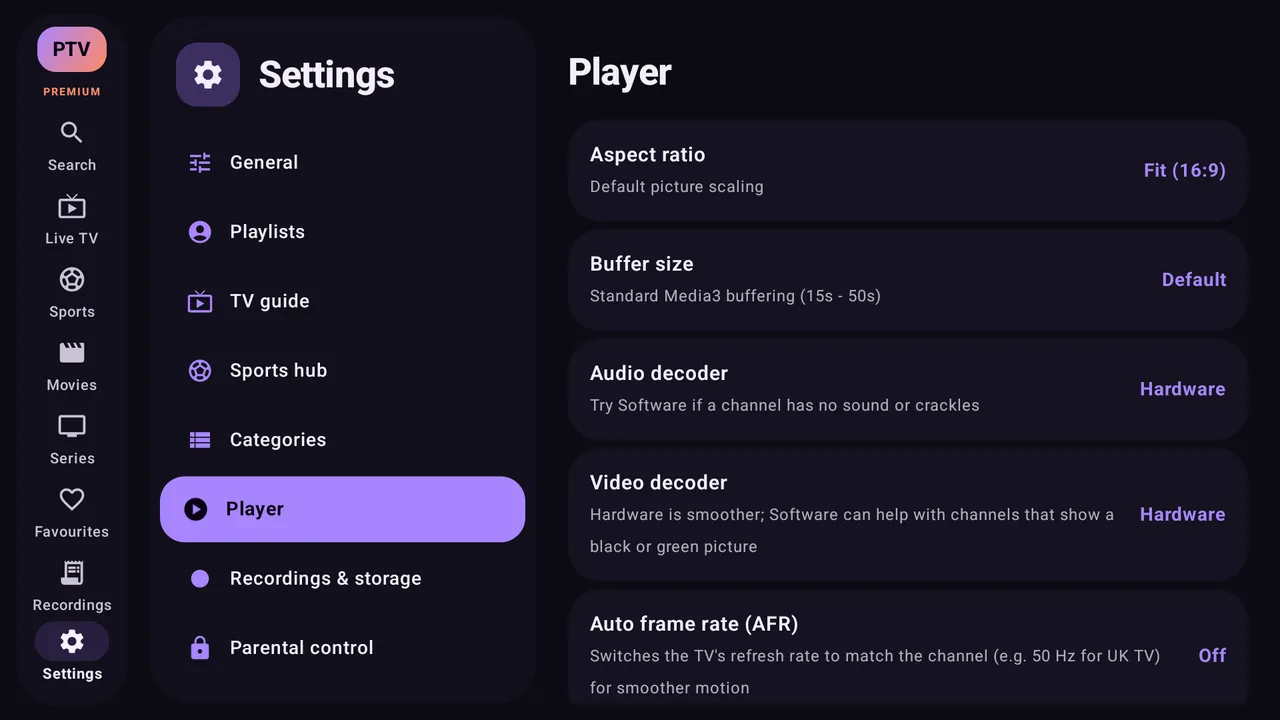
Player settings
PlayerAspect ratio, buffer size, hardware or software decoders, auto frame rate, surround sound and more
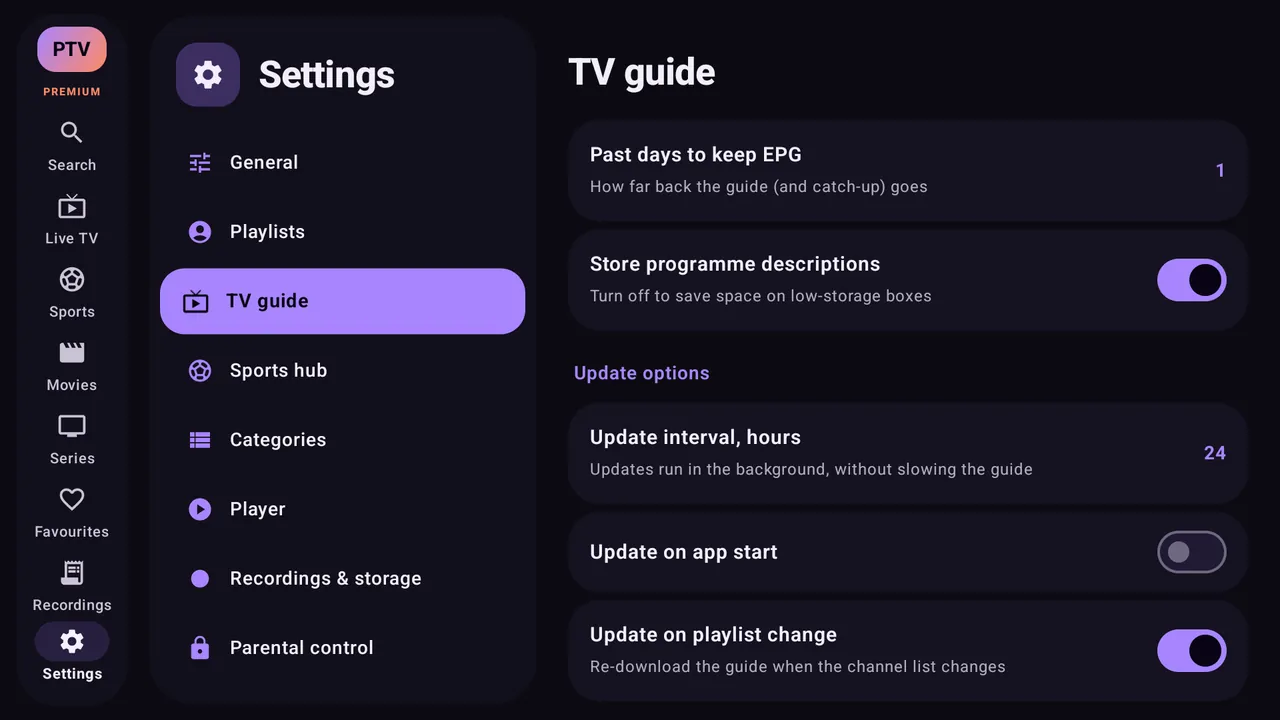
TV guide settings
TV guideHow many days to keep, programme descriptions and when the guide updates
Appearance settings
AppearanceLight, dark or AMOLED black, with your choice of accent colour
Sports hub settings
Sports hubYour sports and teams, list or card layout, and scores on or off
Parental PINBackup & restoreColoured remote buttonsStart-up screenLow power mode12 or 24-hour clockGuide text sizeSee-through panelsSubtitle sizeRecent channels sizeRecord to PC or NASUser agent per playlist
Choose what suits you

Free or Premium.

PortorTV is free to use. Premium is a yearly subscription with a free trial, or a one-off lifetime purchase.

FeatureFreePremium
One playlist with the full TV guide✓✓
Player, recent channels, search and themes✓✓
Sports hub–✓
Multiview–✓
Multiple playlists–✓
Movies & series–✓
Favourites and catch-up–✓
Recording and reminders–✓
Multi-EPG, category and channel management, parental control–✓
Update schedule, resume, auto frame rate and AI upscaling–✓
Get started

Download PortorTV.

Pick your device. If it has the Google Play Store, use that: you get automatic updates and Premium.

Android TV, Google TV, phones & tablets

Search for PortorTV in the Play Store, or use the button below.

Get it on Google Play

Amazon Fire TV

  1. 1Install Downloader from the Amazon Appstore.
  2. 2Allow Downloader in Settings › My Fire TV › Developer options › Install unknown apps. If Developer options are hidden, highlight your device name under About and press OK seven times.
  3. 3Open Downloader and type this address:

Downloader code: coming soon.

Newer Fire TV devices running Vega OS (such as Fire TV Stick 4K Select) can’t install Android apps.

Other Android boxes

For Android devices without the Play Store. Android 7.0 or newer is required.

Download the APK

The download version has all the free features. Premium for devices without Google Play is coming soon.

Good to know

Questions.

Does PortorTV come with channels?

No. PortorTV is a player only. Add a playlist from your own TV provider: an M3U link, an Xtream Codes login or a Stalker portal.

Is it free?

Yes, the free version plays one playlist with the full TV guide. Premium adds the sports hub, multiview, more playlists, movies and series, recording and more.

Which devices does it work on?

Android TV and Google TV boxes and TVs, Fire TV devices running Fire OS, and Android phones and tablets (Android 7.0 or newer).

Where can I get help or suggest a feature?

In the app go to Settings › Help & guide, join us on r/PortorTV, or email PortorDevs@gmail.com.